Storage Drawers
Organize, access, and manage the integrated storage drawers for accessories and equipment.
Overview
Your EDC includes integrated storage drawers with contact-powered LED lighting and specialized storage:
Storage Drawer Features:
- Twist-lock mechanisms on left and right sides
- Contact-powered LED tile lighting (automatic when opened)
- Contact-powered cooling fans on applicable drawers
- Custom rails with integrated power switches
- Accessible while EDC is operational
Number of Drawers Varies by Edition:
- All Editions: 1× full-depth drawer (top)
- NUC Edition: 1× short-depth drawer (below full-depth)
- HR-01-2 Edition: 1× shorter drawer (below full-depth)
- HR-01-4 Edition: TBD
[IMAGE: Storage drawer locations in EDC - showing drawer arrangement]
For Most Users: Simple Access
How to Access Storage Drawers:
NUC PRO Model:
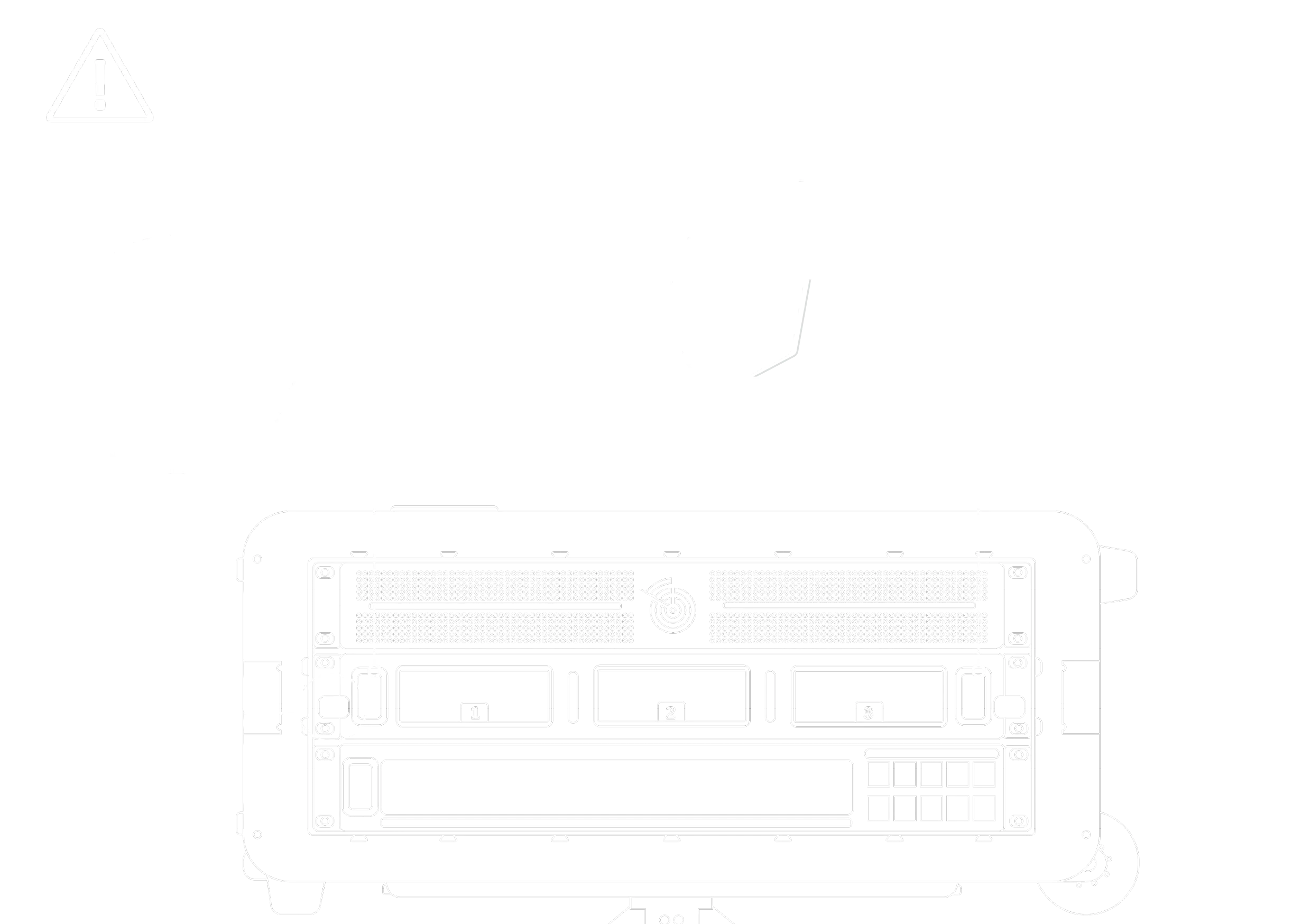
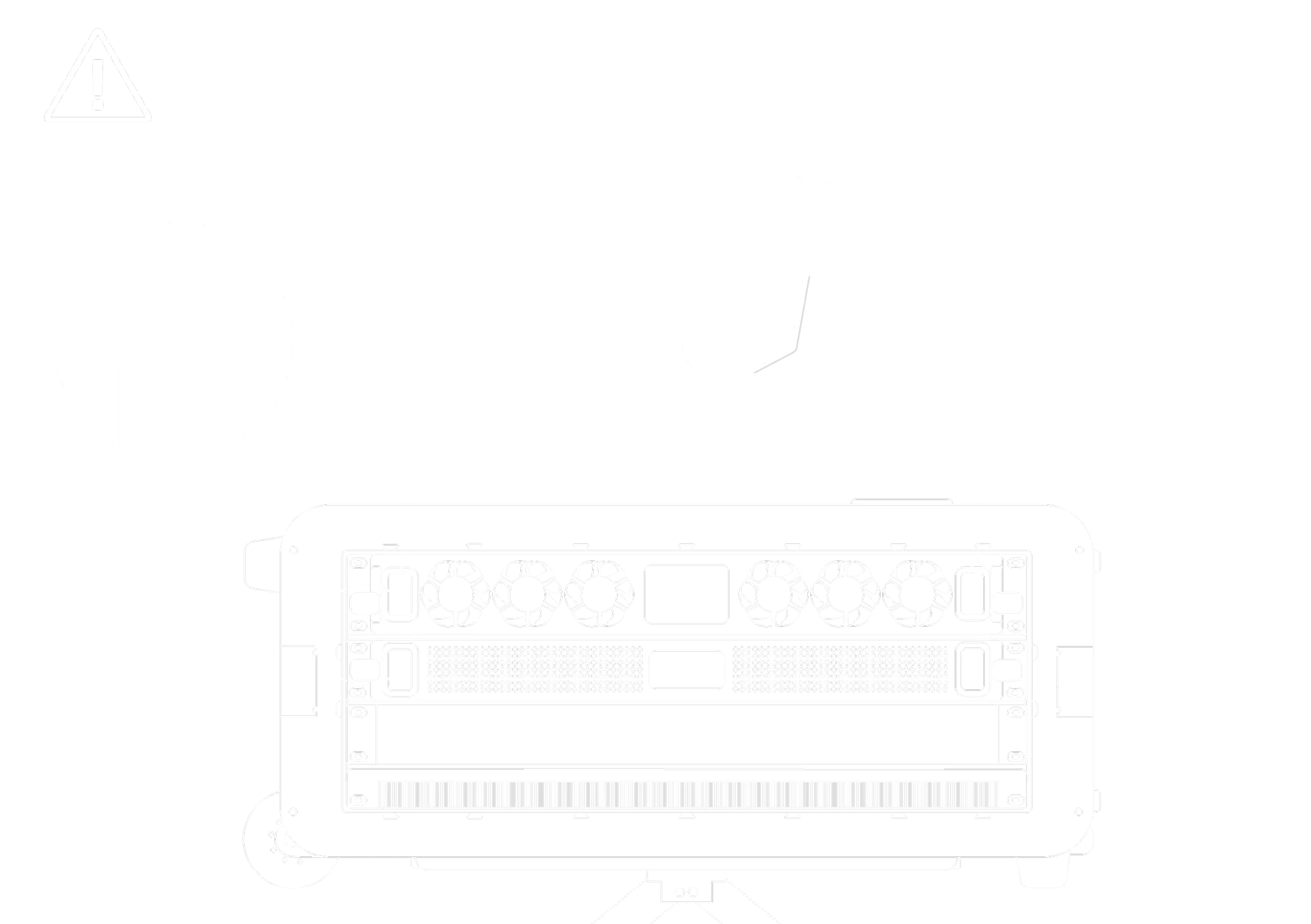
HR-01 Model:
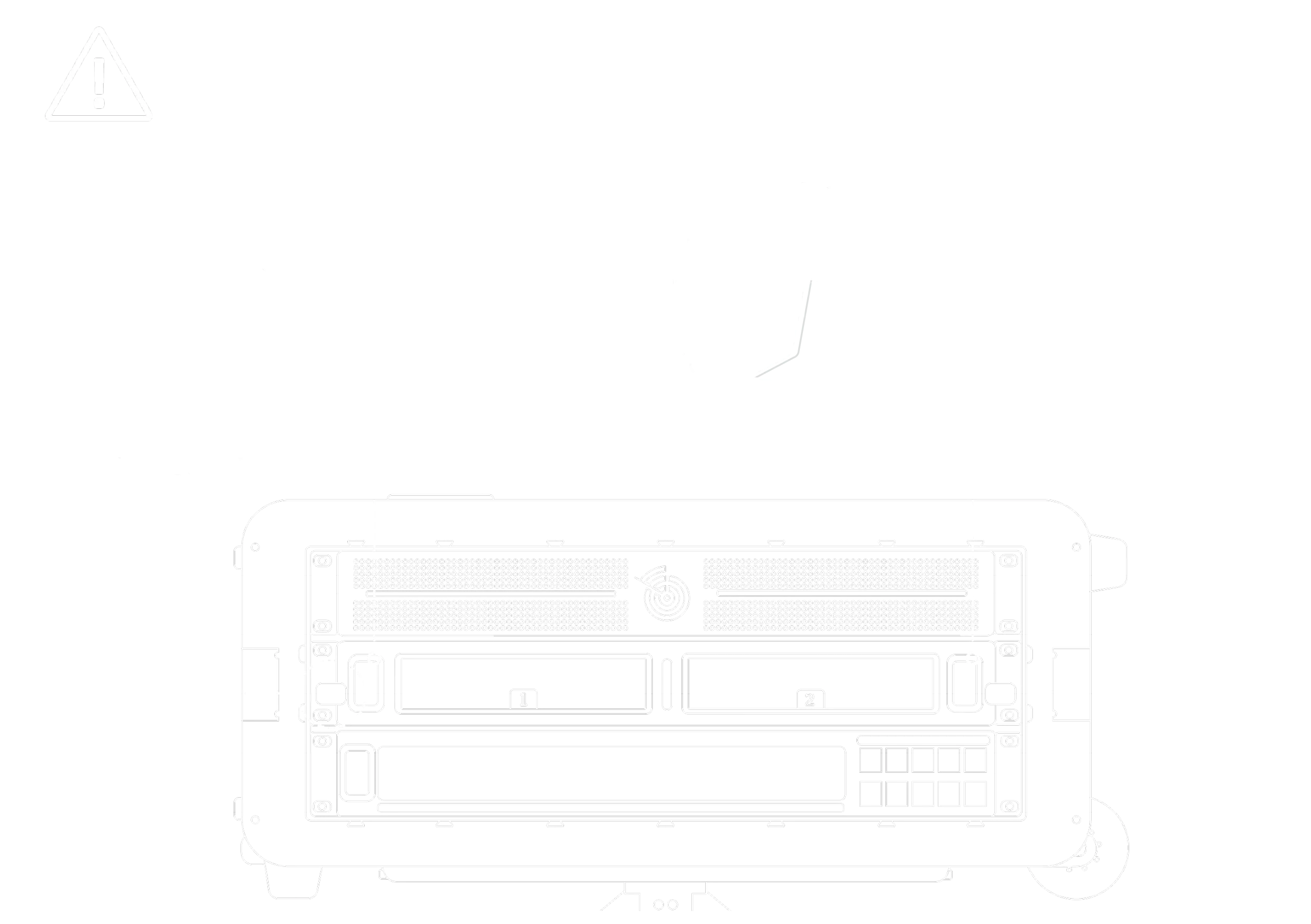
-
Unlock the Drawer:
- Locate twist-lock mechanisms on left and right sides of drawer
- Twist both locks either upwards/downwards 90° to unlock position
- Locks should rotate approximately 90 degrees
-
Open the Fold-Out Handle:
- Fold-out drawer handle is located flat in front of LED tiles on each side
- Use your finger to pull out the handle from its flat position
-
Pull Drawer Open:
- Grasp the fold-out handle and pull straight out
- Drawer slides on custom rails
-
Access Contents:
- Remove or organize stored items
- Drawer can be fully opened while EDC is running
NOTE: It should be noted that due to the drawer fans being powered by the drawer rails, the air flow of the EDC is affected when the drawer is open and should be kept in mind while in use
-
Close and Lock:
- Push drawer closed until it clicks
- Fold the handle back to its flat position
- Twist both locks upward/downward to overlap the edges of the drawer to lock them in place
✅ Can access drawers anytime - even while EDC is operational!
Storage Drawer Configuration by Edition
📦 NUC Edition
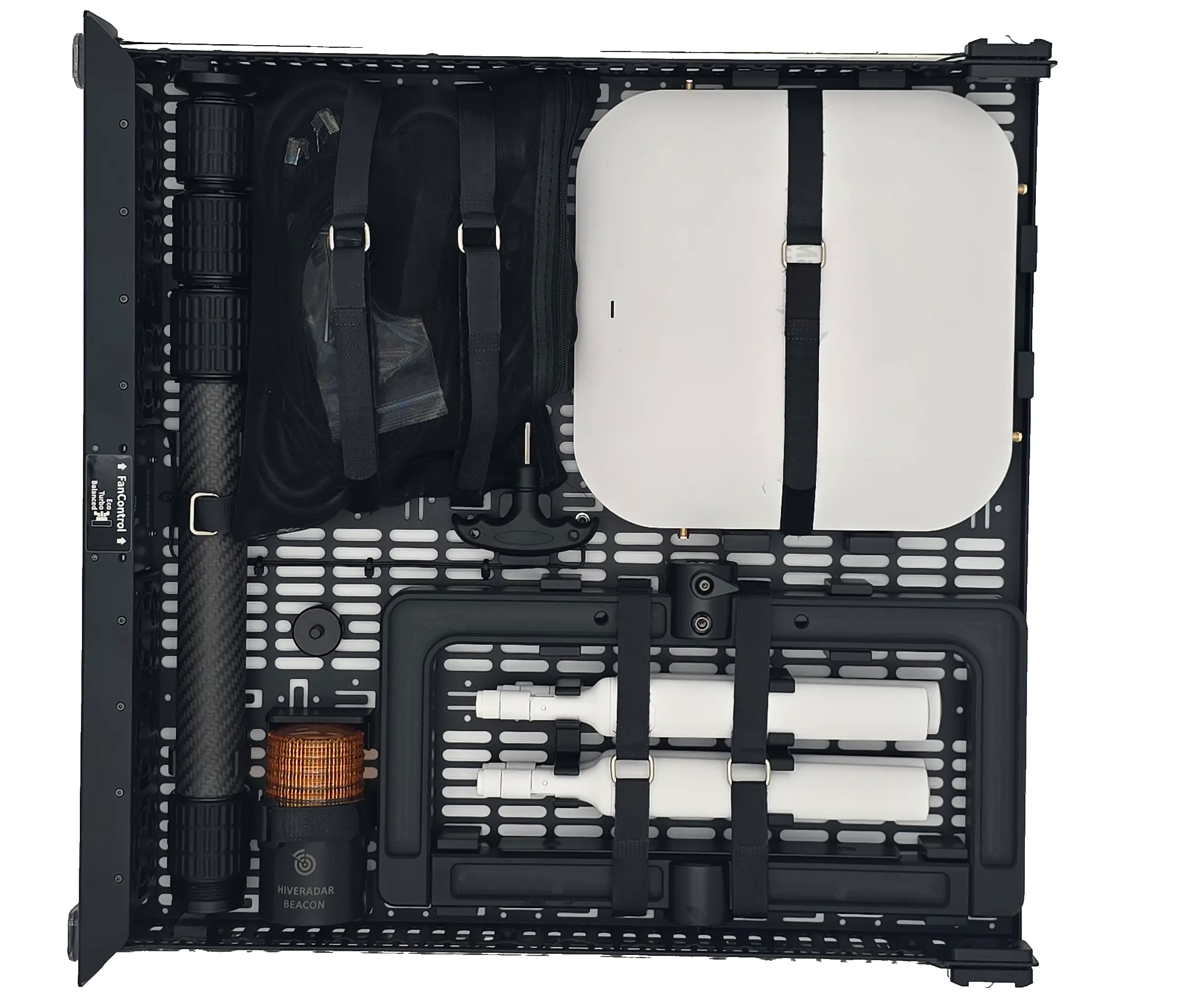
Top Drawer (Full-Depth):
What's Included:
- Mako 5G Cellular Gateway (if purchased with that option)
- Complete with antennas
- Secured with velcro
- T-Bar AP mounting bracket (for mounting devices to pole)
- Light beacon
- Cable pouch for power cables and small accessories
- 3-section carbon fiber pole (telescopic, for AP/antenna elevation)
- Hex tool for EDC internals access and maintenance
Purpose: Primary accessory storage and gateway storage
Bottom Drawer (Short-Depth):
Primary Purpose:
- Dedicated space for Starlink Mini dish (if customer provides)
- Alternative: Additional accessory storage
Starlink Mini Compatibility:
- Short drawer designed to fit Starlink Mini dimensions
- Customer must provide Starlink Mini (not included)
- Has a splace for the power/network cable
If Not Using Starlink:
- Use for cables, tools, small equipment
- Extra power adapters
- Documentation
- Spare parts
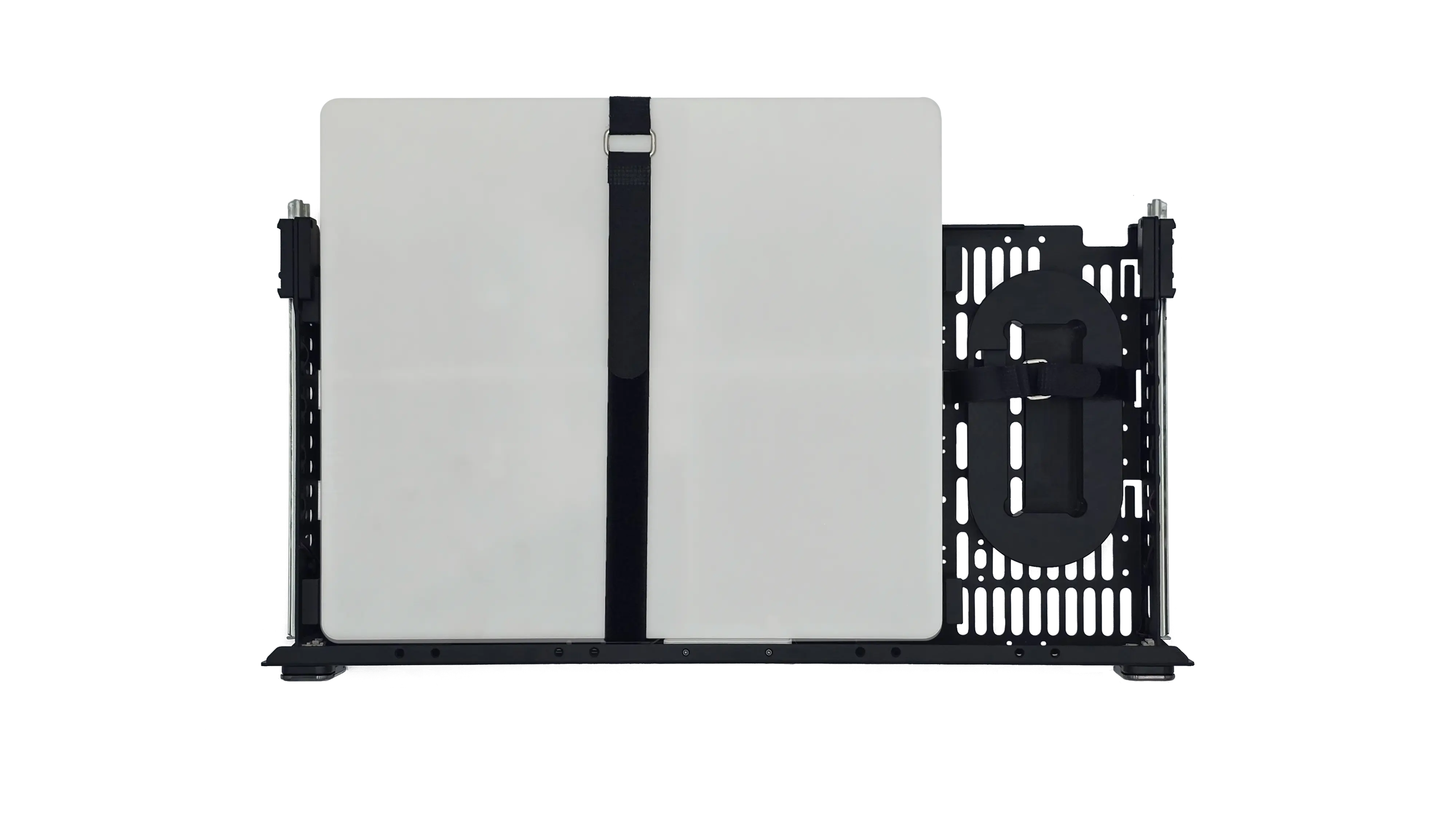
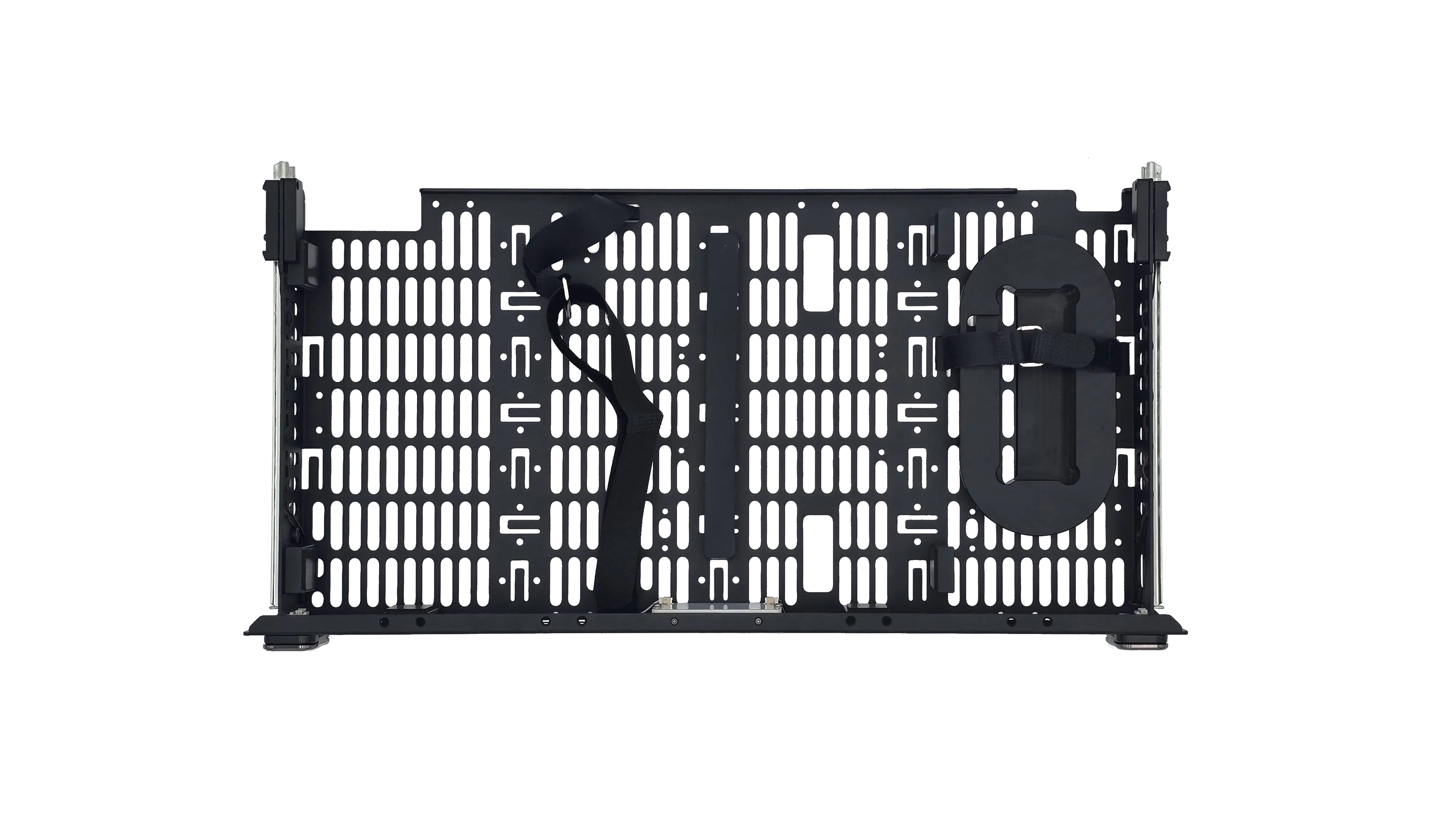
🔶 HR-01-2 Edition
Top Drawer (Full-Depth):
What's Included:
- EITHER Mako 5G Gateway OR space for Starlink Mini (not both)
- Default: Mako 5G if purchased
- Optional: Can be configured for Starlink Mini instead
- T-Bar AP mounting bracket
- Light beacon
- Cable pouch for accessories
- 3-section carbon fiber pole
- Hex tool for maintenance
Important: The full-depth drawer can accommodate either the Mako 5600 gateway or the Starlink Mini dish, but not both at the same time.
[IMAGE: HR-01-2 edition full-depth drawer with Mako installed]
Bottom Drawer (Shorter Depth):
Purpose:
- Additional accessory storage only
- Too short for Starlink Mini dish
What to Store:
- Additional cables
- Small tools
- Mounting hardware
- Spare transceivers (SFP+)
- Documentation
- Small equipment
Note: This drawer is shorter than the NUC edition's short drawer.
[IMAGE: HR-01-2 edition shorter drawer for accessories]
🔷 HR-01-4 Edition Coming Soon
Storage Drawer Configuration: TBD
Expected to include similar full-depth drawer for accessories, with configuration details to be determined.
Contact-Powered LED and Fans
How Contact Power Works
Innovative Power System:
- Drawers have custom rails with integrated electrical contacts
- When drawer opens, contacts engage and power LEDs
- Some drawers also power integrated cooling fans
- No batteries needed for drawer lighting
What's Powered:
- LED lighting inside drawers (follows interior lighting setting)
- Cooling fans in top drawer on applicable editions
[IMAGE: Diagram showing contact rail system and power switches]
LED Lighting in Drawers
Automatic Operation:
- Drawer Closed: LEDs off (contacts disengaged)
- Drawer Opened: LEDs turn on automatically
- Brightness Follows Interior Lighting Setting:
- If interior LEDs set to Full → drawer LEDs at full brightness
- If interior LEDs set to Half → drawer LEDs dimmed
- If interior LEDs set to Off → drawer LEDs stay off
No manual control needed - lighting is automatic based on drawer position and main LED setting.
[IMAGE: Drawer with contact-powered LEDs illuminated]
Organizing Your Storage Drawers
📦 Top Drawer Organization Tips
Default Contents (If Mako Included):
- Keep Mako 5G gateway secured with velcro
- Store antennas in designated area
- Keep beacon easily accessible for deployment
- Cable pouch for frequently used cables
If Using For Starlink (HR-01-2):
- Remove Mako components first
- Secure Starlink Mini with provided mounting
- Store power adapter and cables nearby
- Keep PoE splitter accessible
Best Practices:
- Don't overfill - drawer needs to close smoothly
- Keep heavy items towards rear (near rails)
- Secure loose items to prevent rattling during transport
- Use cable ties or velcro for cable management
📦 Bottom Drawer Organization Tips
NUC Edition (Starlink-Compatible Short Drawer):
- If using for Starlink: dedicated space, minimal extra storage
- If not using Starlink: excellent for cables, tools, adapters
- Organize by deployment frequency (frequent items on top)
HR-01-2 Edition (Accessory-Only Shorter Drawer):
- Good for: patch cables, tools, spare transceivers
- Use small containers or pouches for organization
- Label pouches for quick identification
- Keep weight reasonable for smooth drawer operation
General Tips:
- Create a packing list for drawer contents
- Check contents before each deployment
- Restock consumables (cables, adapters) after use
- Don't store liquids or temperature-sensitive items
🔒 Security and Access
Locking System:
- Drawers use twist-lock mechanisms on left and right sides
- Lock drawers during transport
- Lock drawers in unsecured deployment locations
- Ensure both locks are engaged when securing
Access During Operation:
- Safe to open drawers while EDC is running
- Opening drawers does NOT affect compute nodes
- Top drawer can be accessed during maintenance
- No need to power down EDC to access storage
Access Control:
- Consider who needs physical access to drawers
- Document what's stored in each drawer
- For sensitive equipment, consider additional security measures
What NOT to Store in Drawers
Avoid Storing:
- Liquids (water bottles, cleaning fluids)
- Food or perishables
- Temperature-sensitive items (drawers get warm from nearby components)
- Excessive weight (drawers have weight limits)
- Loose metal objects (can rattle and cause electrical shorts)
- Magnetic media (if near strong equipment)
Safe to Store:
- Cables and adapters
- Tools (non-magnetic preferred)
- Antennas and mounting hardware
- Documentation (in protective sleeve)
- Small electronics (secured properly)
- Spare parts (transceivers, drives in anti-static bags)
Troubleshooting
🔧 Drawer won't open or close smoothly
Problem: Drawer is stuck, hard to open, or doesn't slide smoothly
Solutions:
-
Check for Obstructions
- Item blocking drawer track
- Cable caught in rail
- Clear any obstructions
-
Drawer Overfilled
- Too much weight or volume
- Remove some items
- Redistribute weight
-
Rails Need Cleaning
- Dust or debris in tracks
- Wipe rails with dry cloth
- Check for damage to rail system
-
Twist-Locks Not Fully Disengaged
- Make sure both locks are twisted fully to unlock position (~90 degrees upward)
- Lock mechanism may be partially engaged
- Try twisting locks back to locked position, then unlock again
🔧 Drawer LEDs not working
Problem: LEDs don't turn on when drawer is opened
Solutions:
-
Check Interior Lighting Setting
- Drawer LEDs follow interior lighting control
- If interior LEDs set to "Off", drawer LEDs won't work
- Press interior LED button to enable (see LED Control)
-
Drawer Not Fully Open
- Contacts may not be engaged
- Pull drawer fully open
- Should hear/feel slight click when contacts engage
-
Dirty Contacts
- Contact rails may have dust or corrosion
- Wipe contacts gently with dry cloth
- Open and close drawer several times
-
Contact System Issue
- Power rail or switch may have failed
- Try other drawer (if applicable) to compare
- Contact support if issue persists
🔧 Drawer lock not working
Problem: Twist-locks won't turn, won't engage, or drawer won't lock
Solutions:
-
Check Lock Position
- Ensure locks are in proper starting position
- Both locks (left and right) must be operated
- Try resetting to neutral position
-
Drawer Not Fully Closed
- Locks won't engage if drawer is open
- Push drawer completely closed
- Should hear/feel click when fully closed
-
Lock Mechanism Jammed
- Don't force the twist-locks
- Check for obstructions around lock mechanism
- May need lubrication or service
-
Lock Needs Service
- If lock mechanism is damaged or worn
- Contact your reseller/partner for support
- May need lock replacement
Best Practices
For Transport:
- Lock all drawers before moving EDC
- Verify contents are secured (no loose items)
- Don't overfill drawers
- Heavy items should be secured with velcro or ties
For Deployment:
- Check drawer contents before leaving
- Verify you have all needed accessories
- Lock drawers in unsecured locations
- Keep frequently used items easily accessible
For Organization:
- Maintain inventory/packing list
- Group similar items together
- Label pouches or containers
- Keep emergency items accessible
For Long-Term Storage:
- Remove batteries from stored electronics
- Store cables loosely (not tight coils)
- Keep documentation in protective sleeve
- Check contents periodically
What's Next?
After understanding storage drawer organization:
👉 Cooling Management - Manage fan profiles and temperature
👉 LED Control - Control interior and exterior lighting
👉 Telescoping Pole Reference - Mast, beacon, gateways, and accessories