LED Control & Lighting
Control interior and exterior LED lighting for visibility and identification.
Overview
Your EDC includes an integrated LED lighting system for illumination and identification:
LED Locations:
- LED rectangular tiles on front and back of the EDC elements (behind the lid)
- Top front panel LED lighting
- Exterior hardcase panel LED indicators
Current Configuration:
- Color: Yellow (single color currently)
- Control: Manual buttons near pole mounting mechanism on exterior to control the lighting (see below for the location).
- Power: Contact-powered via custom drawer rails and switches
Note: LED color is currently yellow only. Future versions may include additional color options.
For Most Users: Simple On/Off Control
The LEDs are controlled by two buttons on the exterior panel of the EDC.
LED Control Buttons Location:
Where to Find Them:
- Located on the exterior plate with the HiveRadar logo text
- Near the pole mounting mechanism (carbon fiber mast mount area)
- Two separate buttons: one for interior lighting, one for exterior lighting
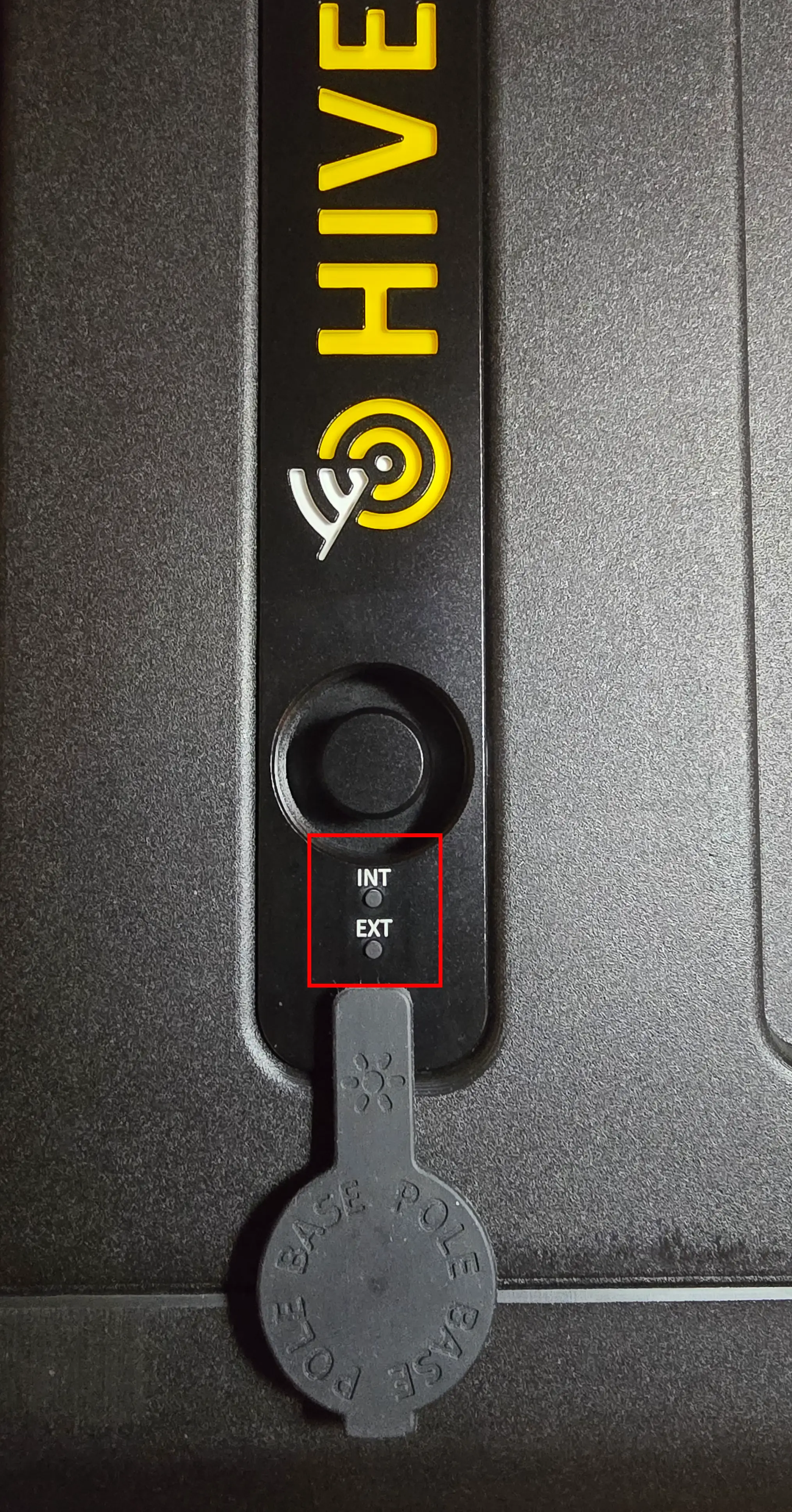
How to Control the LEDs
Each button controls one lighting zone independently:
Button 1: Interior Lighting Control
Controls the LEDs on the EDC.
Press to Cycle Through Brightness Levels:
- Press Once: Full brightness
- Press Again: Half brightness (dimmed)
- Press Again: Off
Default Setting: Full brightness when EDC is powered on
Button 2: Exterior Lighting Control
Controls the LEDs on the Outside of the Case:
- Exterior hardcase panel near the switch
Press to Cycle Through Brightness Levels:
- Press Once: Full brightness
- Press Again: Half brightness (dimmed)
- Press Again: Off
Default Setting: Full brightness when EDC is powered on
LED Behavior and Operation
Power On Behavior
When you First Power on the EDC:
- Both interior and exterior LEDs turn on at full brightness by default
- LEDs remain at the brightness setting you last selected
- Settings are retained across power cycles
What's Next?
After Understanding LED Control:
👉 Storage Drawers - Organize and access storage drawers
👉 Cooling Management - Manage fan profiles and temperature